
ScreenScan PC Model 


ScreenScan™ PC MODEL

How to upgrade your Reader/Reader Printer
4 easy steps to go digital in 30 minutes.

Step 1
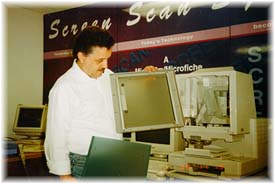
Remove bezel and exchange viewing screen.

Step 2
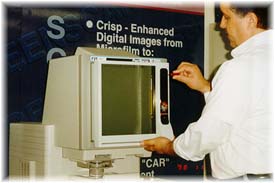
Replace bezel and attach ScreenScan.

Step 3
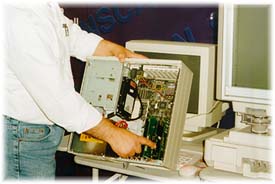
Install provided plug card in your computer, hook-up scanner cable and install software.

Step 4
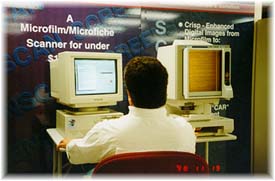
Start working with your perfect solution to print and digitize with your ScreenScan Digital Workstation.

           Return to the main Screenscan page

              or go back to the PC Model page


To contact us:

                421 South Eddy Street ¤ P.O. Box 4578 ¤ South Bend, Indiana
                               Phone 574-289-3361 ¤ Fax 574-289-0670 

                           email us at: ira@informationandrecords.com

Contact our professional Support Learn about our cost saving Services Browse our Products Return to our Home page Film Processing & Duplication Service Source Document Microfilming Service Book Scanning Services Computer Output to Laser Disk Services PDF Capture Service Aperture Card Scanning Service Microfilm Scanning Service Document Scanning Service Backfile Conversion Service Return to our Service Bureau Supplies Storage Cabinets & Devices Peripheral Devices Paper Scanners Screen Scan Systems Electronic Document Imaging Hybrid Products Micrographic Products Electronic Publication Systems Return to our main Products page