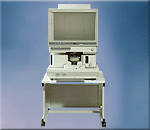
Minolta MicroSP 3000


See all your microfilm documents more clearly, using the MicroSP 3000. This digital scanner-printer scans and prints at 400dpi, while Minolta’s exclusive Fine Micro-Toning (Fine-MT) System allows reproduction of even very fine details. And thanks to digital technology, beautiful prints can be generated from a variety of originals.

Monitor screen larger than 11” x 17” (A3 wide); compact housing Readily view large, 11” x 17” (A3) documents on the MicroSP 3000’s big screen, or two sheets of 8-1/2” x 11” (A4) documents side by side. The MicroSP 3000 is also compact - 24 percent smaller than its analog counterpart, the RP607Z reader-printer.

User-oriented design permits easy maintenance, unrestricted setup options.

Printer Is Separate For Added Flexibility
With separate printer and microfilm scanner, the units can be stacked or set side-by-side. If performing more scanning than printing, “2 to 1 Printing” allows you to combine two scanners with a single printer - resulting in greater cost performance and even more space saving.

Easy Maintenance
A separate printer simplifies maintenance access. It’s now far easier to exchange our all-in-one imaging cartridge or remove paper should a jam occur.

Features


Ergonomically Located Buttons
Keeping easy operation and readability in mind, we positioned all operation buttons just below the front view screen. Now you can do al your work faster and easier because you can keep your eyes on the view screen while performing routine functions.

Full Framing Provides Image Scaling
The full framing feature scales displayed images so that they properly fit the selected paper size. Images are automatically enlarged (up to 125%) to ensure output contains the largest, most legible image possible with the desired paper size. Full framing also eliminates uneven borders, assisting in keeping copies neatly filled.

Trimming** (Optional)
Prior to printing, trim border areas you wish to delete surrounding the document simply by pressing LED buttons located along the left and bottom edges of the view screen.

Masking** (Optional)
Delete areas from within your document using the LED buttons next to the view screen.

AutoFocus (AF) (Optional)
No more awkward manual focusing. Just put one finger on a button for easy adjustment and highly accurate focus, not to mention greater work efficiency.

Auto Exposure (AE)
AE automatically detects film density and adjusts the scanner to the most suitable exposure setting. This allows the MicroSP 3000 to increase efficiency by decreasing copy errors, while delivering attractive copies.

Auto Masking (AM)
The built-in auto masking sensor detects document size and erases unnecessary dark borders surrounding your document. Digital technology enables greater masking accuracy than ever before. Document appearance is enhanced and toner usage is minimized.

Auto Skew Correction (ASC) (Optional)
Auto Centering (AC)

The ASC feature automatically rotates skewed image while the AC feature ensures that they are centered. You’ll appreciate these features especially when employing automatic search and retrieval.

Auto Polarity Adjustment and
Auto Paper Size Selection

Auto Polarity Adjustment automatically discerns film polarity and, when selected, always delivers positive images. Use it to prevent errors caused by constant readjustment for polarity. The MicroSP 3000 simplifies printing by automatically selecting paper size according to the image framed on your screen. This feature works even when the film is from documents in both negative and positive polarity.

Continual Page Copy
Continual Page Copy allows you to initiate a single scan the entire 17" (A3) width of the view panel and subsequently split the output into two separate prints, one each for the left and right halves.

Text Mode
Easily print very small text and drawings such as those found in newspapers and legal documents. Text Mode increases black and white contrast, giving you more distinct reproduction.

Photo Mode
Ideally suited for reproducing microfilm photo originals, Photo Mode can read delicate halftone shades and surprise you with a beautifully reproduced image.

Fine Mode*
Reproduce poor-quality or older and fading film with amazing clarity. Through specialized algorithms, images are cleaned and enhanced to ensure maximum legibility.

*Available with negative film only.
**Requires the optional Manual Masking Unit.

 Contact our sales professionals at Information & Records Associates for more information.


       Return to main Hybrid Products page


To contact us:

                421 South Eddy Street ¤ P.O. Box 4578 ¤ South Bend, Indiana
                               Phone 574-289-3361 ¤ Fax 574-289-0670 

                           email us at: ira@informationandrecords.com

Contact our professional Support Learn about our cost saving Services Browse our Products Return to our Home page Film Processing & Duplication Service Source Document Microfilming Service Book Scanning Services Computer Output to Laser Disk Services PDF Capture Service Aperture Card Scanning Service Microfilm Scanning Service Document Scanning Service Backfile Conversion Service Return to our Service Bureau Supplies Storage Cabinets & Devices Peripheral Devices Paper Scanners Screen Scan Systems Electronic Document Imaging Hybrid Products Micrographic Products Electronic Publication Systems Return to our main Products page